Included in your strategy 01
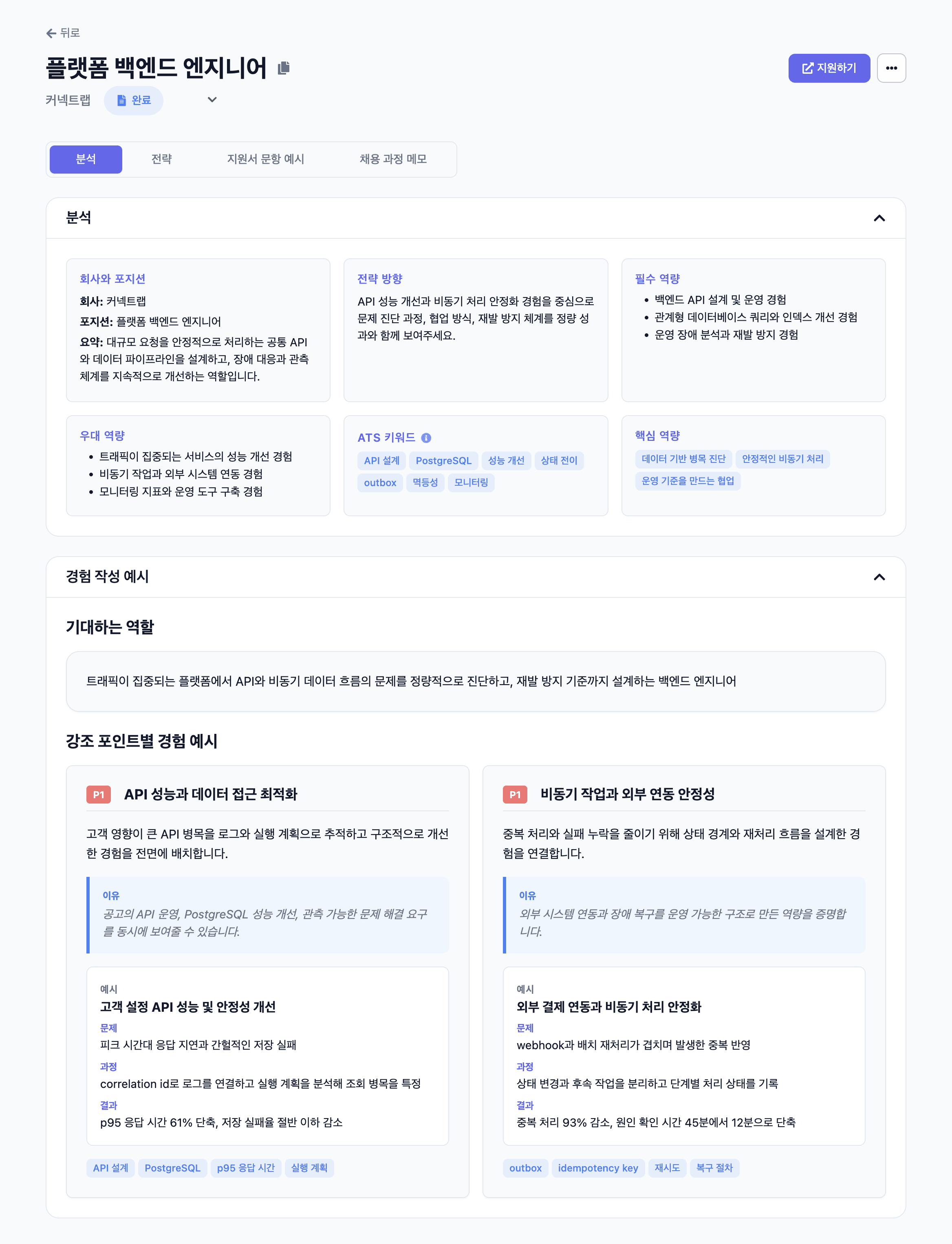
Understand what the role calls for
See the responsibilities you would take on and the skills your application should demonstrate.
Tailor your resume and application
Find out what to change in your resume and which experience to highlight for the job. Start your introduction and motivation statement with a draft.
Grouped recurring sign-up questions, revised guidance and help copy, then reviewed the questions that followed.
Reviewed cases passed between colleagues, defined ownership by question type, and documented handoffs and response guidelines.
Grouped customer and operations requests by usage context, separating the reason for each request from questions needing review.
Organized feature changes around what users needed to know and kept announcements and help content aligned with the updated flow.
Service planner → Improved new-user guidance
Emphasize how you found problems in support questions and improved guidance.
I used recurring questions to improve guidance, not just answer individual users.I grouped questions from newly signed-up users to identify gaps in guidance. Those patterns informed changes to the guidance screens and help copy. After the revisions, I reviewed incoming questions again, using them to check which parts of the guidance still needed attention.
Evidence to check · Question categories · Guidance before and after
Move across the experiences or tap to explore. Click elsewhere in the example to pause or resume.
What Connect Dot does
Understand what matters for the role, which experience to use, and how to write about it.
See the responsibilities you would take on and the skills your application should demonstrate.
See the experience that fits the job, with an explanation for each recommendation.
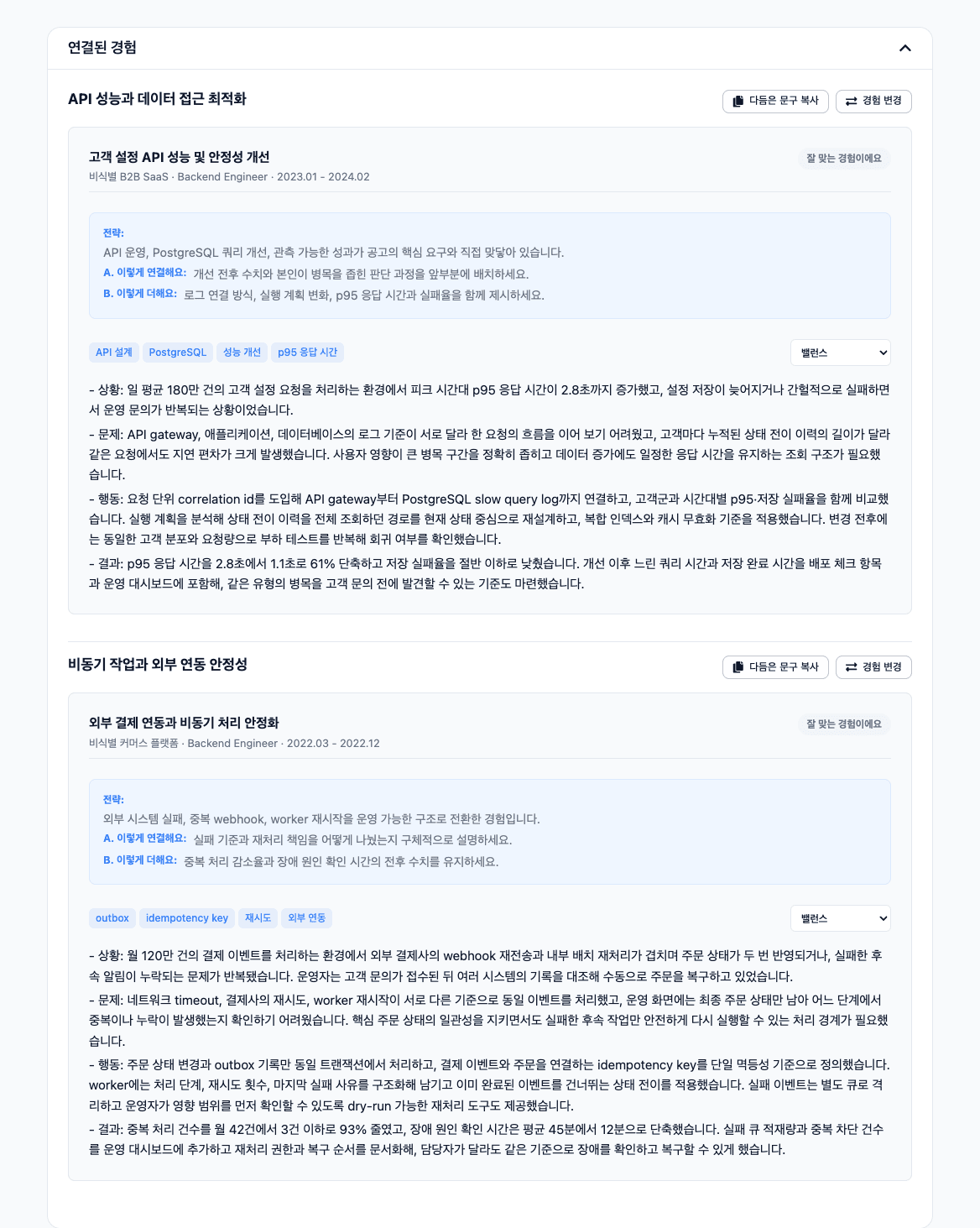
Get introduction, motivation, and application-answer drafts built around your selected experience.
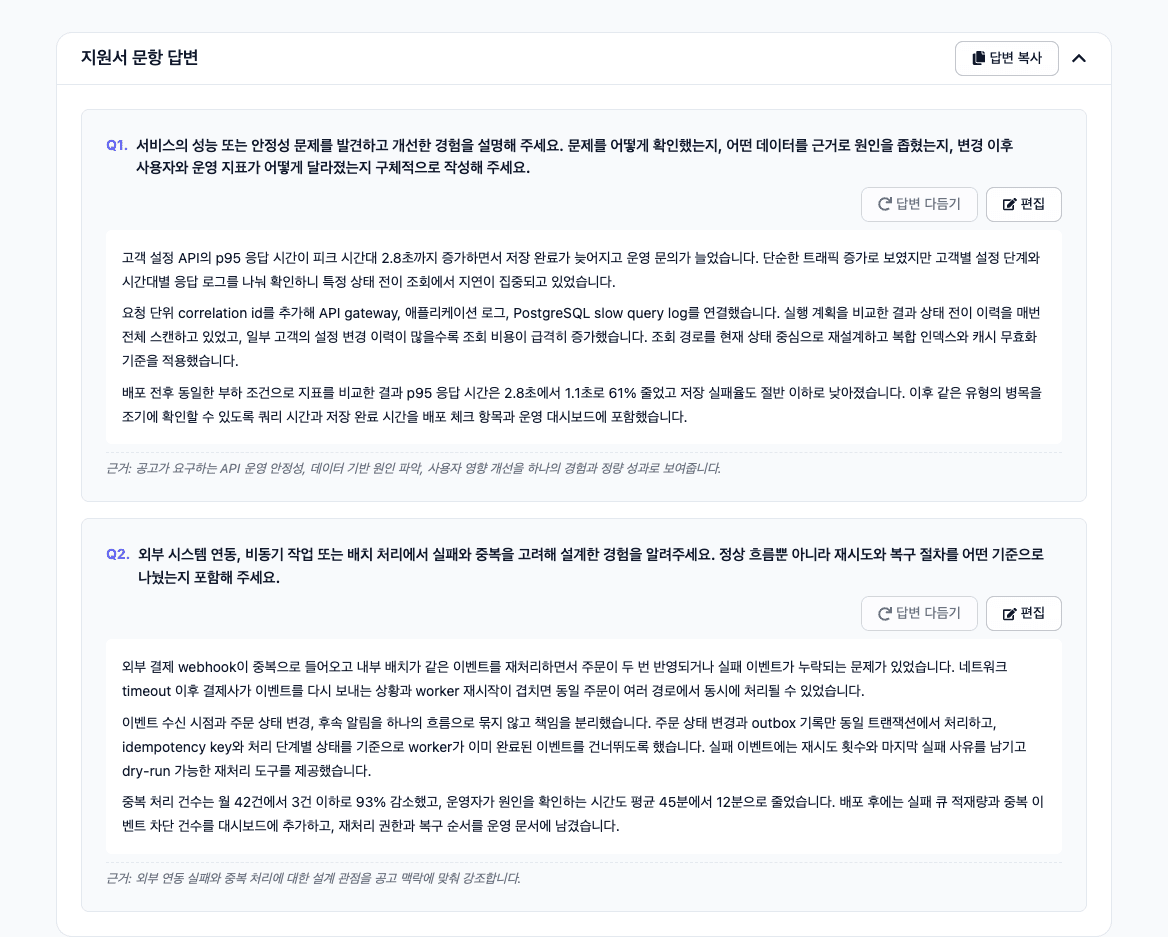
Start with drafts for your application, then refine them to reflect your experience.
How it works
Once you sign up and save your resume, just add a job link for your next application. Update your experience as it changes.
Upload your existing resume PDF and review the details you want to save.
Add the job link to analyze it alongside your saved experience.
Review the recommended experience and suggested changes, then refine your drafts.
Have a question?
Connect Dot manages and improves the prompts and writing guidance needed to analyze a job and draft your application. Spend less time explaining your background or deciding what to ask AI, and focus on tailoring your resume. Your saved introduction and motivation statements become personal writing guidance for future applications.
See what the job calls for, how to revise your resume, and which experience and evidence to highlight. Get introduction, motivation, and application-question drafts based on the experience you choose. Once your resume is saved, a job link is enough to get an analysis and drafts, so you do not have to start with a blank page.
Once you sign up and save your resume to your account, you do not need to upload it again. Start with your existing resume PDF and review its contents. After that, just add new experience or update details that have changed.
Your original PDF is deleted after we read its resume content. Sign in from the results screen before the preview expires to link the results to your account and keep access to them.
Check the experience and facts in each draft, then adapt it to your resume or application format. Use the analysis to decide what to emphasize and revise. Preparing documents in your chosen resume format is planned for a future release.
Preview the experience that fits the job and a sample of your introduction draft.
Preview with my resume